

Description
Download Cleaner Disk Duplicate Files – Free Duplicate Finder, Secure File Cleaner
Overview
Cleaner Disk Duplicate Files is a lightweight, free utility designed to locate and manage duplicate files on Windows computers. Whether you’re a casual user who frequently downloads images, music, and videos, or a power user who shares large media libraries across cloud and local drives, this tool helps you reclaim valuable disk space without risking the loss of original content. The application scans selected folders, compares file signatures, sizes, and names, then groups identical files together. From there you can safely delete, rename, or move duplicates, making it an ideal companion for anyone who suffers from “file hoarding” or a scatter‑shot downloading habit. Its intuitive interface, real‑time preview, and built‑in safety checks mean you can clean up your hard drive quickly and confidently. Cleaner Disk Duplicate Files runs silently in the background, consumes minimal resources, and receives regular free updates that keep its detection algorithms current with the latest file formats. In short, if you’re looking for a secure, fast, and completely free solution to declutter your disk, this app delivers exactly what you need.
Features, Installation & Compatibility
Key Features
- Deep scan algorithm that compares file hashes, sizes, and names.
- Customizable scan filters (by file type, size range, or folder depth).
- Side‑by‑side preview of duplicate groups with thumbnail support for images and videos.
- One‑click delete, rename, or move actions with undo capability.
- Safe‑mode operation that protects files flagged as “potentially unique”.
- Automatic exclusion of system files and protected Windows folders.
- Multi‑language support and a minimalistic, dark‑mode friendly UI.
- Free updates via built‑in updater, ensuring the latest detection engine.
Installation & Usage Instructions
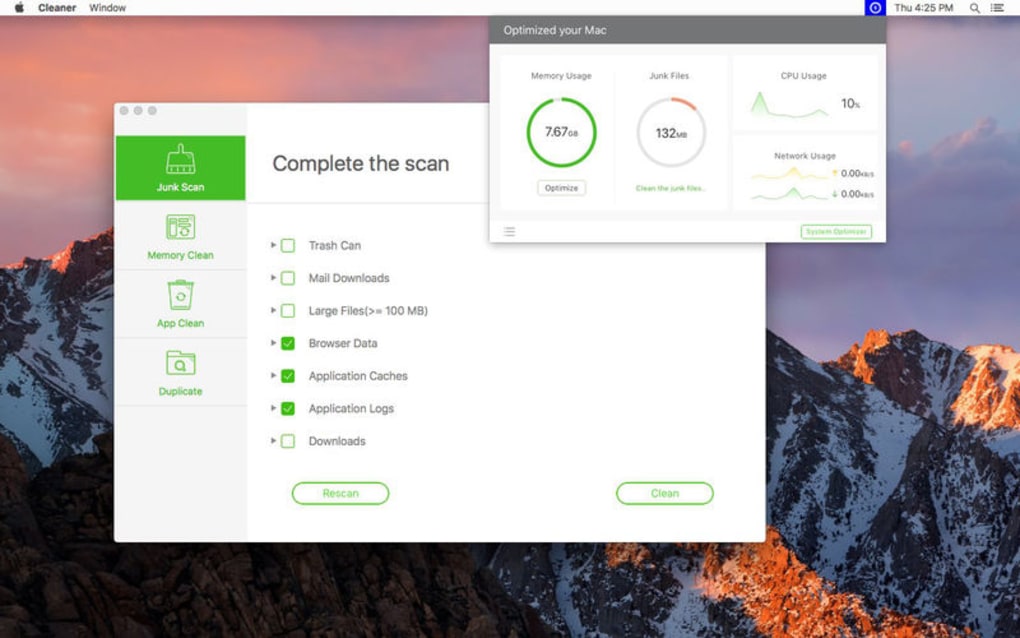
Getting Cleaner Disk Duplicate Files up and running takes just a few minutes. First, download the installer from the official website. The file is a compact .exe package (approximately 6 MB) that uses a standard Windows installer wizard. Run the installer, accept the license agreement, and choose your preferred installation folder – the default location in C:\Program Files\CleanerDisk works well for most users. Once installed, launch the application from the Start menu or desktop shortcut. The main window presents a simple three‑step workflow: select the folders you want to scan, configure any filters (for example, ignore files smaller than 1 KB), and click “Start Scan”. The engine will analyze the selected directories, displaying progress in a real‑time bar. When the scan completes, duplicates appear in collapsible groups. You can expand each group to view thumbnails or file details, then decide whether to delete, rename, or move the copies. The “Safe Delete” option automatically creates a temporary backup in a hidden folder, allowing you to restore any file within 30 minutes if you change your mind.
System Compatibility
This software is built for modern Windows environments. It runs on Windows 10, Windows 11, and Windows 8.1 (both 32‑bit and 64‑bit). The operatingSystem requirement is modest: a minimum of 2 GB RAM and 50 MB of free disk space for installation. Because the program relies on native Windows APIs, it does not support macOS, Linux, Android, or iOS. However, Windows users can comfortably run the app on virtual machines or dual‑boot setups without any loss of functionality.
Pros & Cons – Quick Review
Pros
- Completely free with no hidden fees or ads.
- Fast, accurate scanning even on large drives (up to several terabytes).
- Intuitive UI that requires no technical expertise.
- Robust safety features prevent accidental deletion of unique files.
- Low system footprint – runs smoothly on older PCs.
- Regular free updates keep the detection engine current.
Cons
- Available only for Windows; macOS and Linux users must look elsewhere.
- Advanced filter options are limited compared to some paid alternatives.
- No built‑in cloud‑storage scanning (requires local copy of files).
Overall Rating: 4.5 out of 5 stars – Cleaner Disk Duplicate Files stands out as a reliable, free solution for anyone looking to declutter their hard drive without compromising safety. Its speed, ease of use, and thoughtful safety mechanisms make it a top choice for both casual and power users on Windows.
FAQ & Conclusion
Is Cleaner Disk Duplicate Files really free?
Yes, the application is completely free to download, install, and use. There are no hidden premium features or ads.
Can the tool delete system files by mistake?
No. The scanner automatically excludes Windows system folders and protected files. Additionally, the “Safe Delete” mode creates a temporary backup, allowing you to recover any file within 30 minutes.
How does the app compare files – by name or content?
Cleaner Disk Duplicate Files uses a combination of hash‑based content comparison, file size, and optional name matching. This ensures that files with different names but identical content are still flagged as duplicates.
Will the program slow down my PC while scanning?
The scanning engine is designed to run in the background with low CPU usage. On most modern PCs the impact is negligible, and you can continue working while the scan proceeds.
Can I use the app on external drives or USB sticks?
Absolutely. The scanner lets you add any reachable drive or folder, including external HDDs, SSDs, and USB flash drives.
Conclusion – Take Back Your Disk Space Today
If you’ve been wrestling with endless duplicate photos, music tracks, or documents, Cleaner Disk Duplicate Files offers a secure, fast, and completely free way to tidy up your storage. Its intuitive interface, strong safety nets, and low system footprint make it a practical choice for anyone who values a clean, efficient PC. Download the installer now, run a quick scan, and watch your hard drive reclaim gigabytes of wasted space. With regular free updates and no hidden costs, this tool is a long‑term solution you can rely on for years to come. Don’t let duplicate files slow you down – click the download button and start cleaning today!
Guides & Tutorials for Cleaner Disk Duplicate Files
How to install Cleaner Disk Duplicate Files
- Click the Preview / Download button above.
- Once redirected, accept the terms and click Install.
- Wait for the Cleaner Disk Duplicate Files download to finish on your device.
How to use Cleaner Disk Duplicate Files
This software is primarily used for its core features described above. Open the app after installation to explore its capabilities.
User Reviews for Cleaner Disk Duplicate Files 0
No reviews found





.webp)